From “Anyone know a good…?” to your reply, in minutes
GroupHound watches the local Facebook groups you’re already in, alerts your phone when someone asks for what you do, and hands you a reply that’s ready to send. Here’s the whole thing, start to finish.
Jacob Mahaffey, founder of GroupHound, on why it exists and who it’s for.
1Step 1
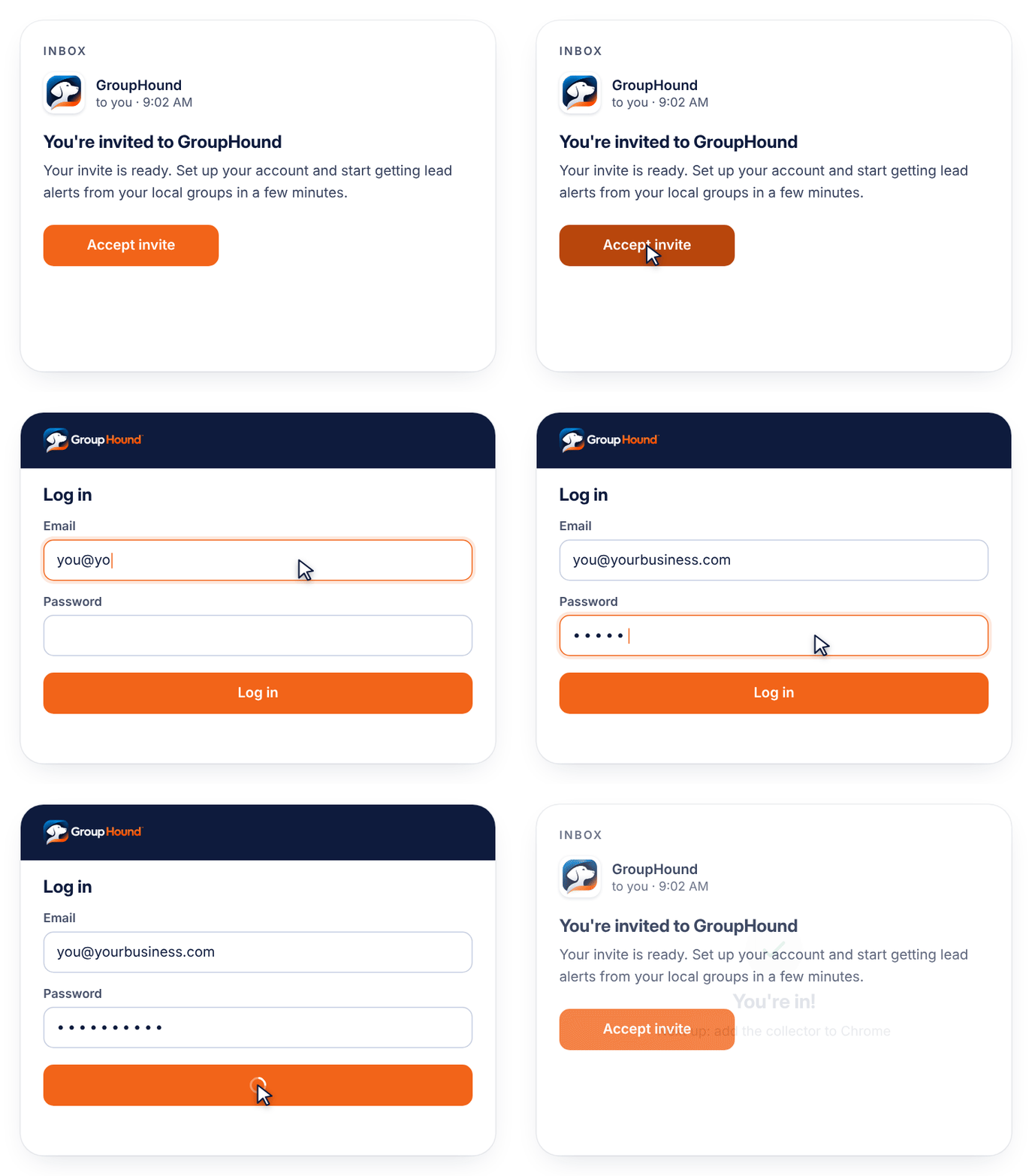
Get your invite and log in
Request an invite, and when your spot opens you’ll get an email with your setup link. Log in to GroupHound on your computer to start setup.
Invite-only while in beta
Your account is ready in a few clicks
2Step 2
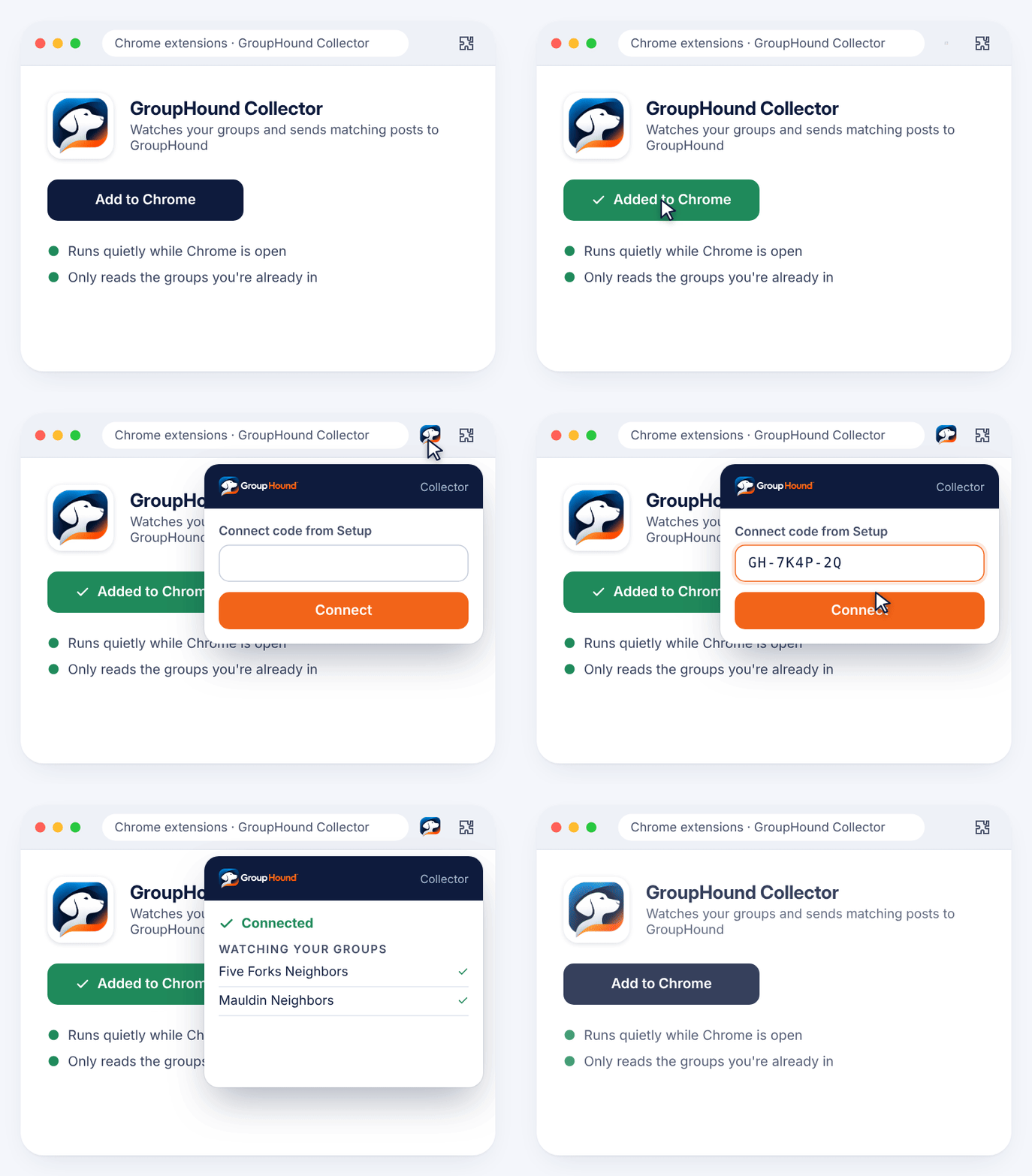
Add the Collector to Chrome
Install the GroupHound Collector, a Chrome extension, and connect it with the code from your Setup screen. It watches the local groups you already belong to.
No Facebook password to share
Runs while your computer is awake and Chrome is open
3Step 3
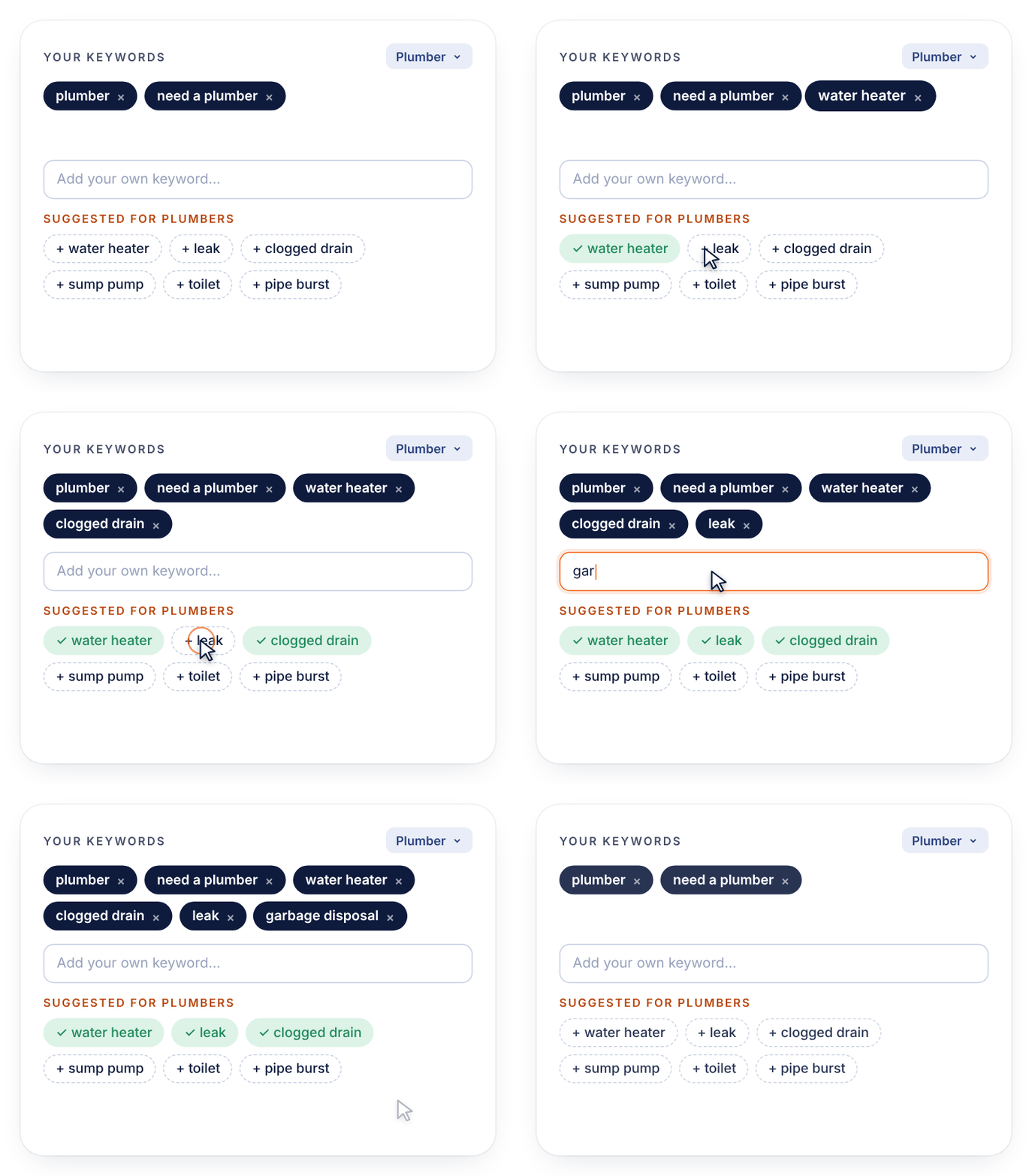
Pick your keywords
Start from suggested keywords for your trade, then add your own. Skip phrases screen out the posts you never want to hear about, like other businesses’ ads.
Suggested keywords for each trade
Skip phrases and “Ignore this poster”
4Step 4
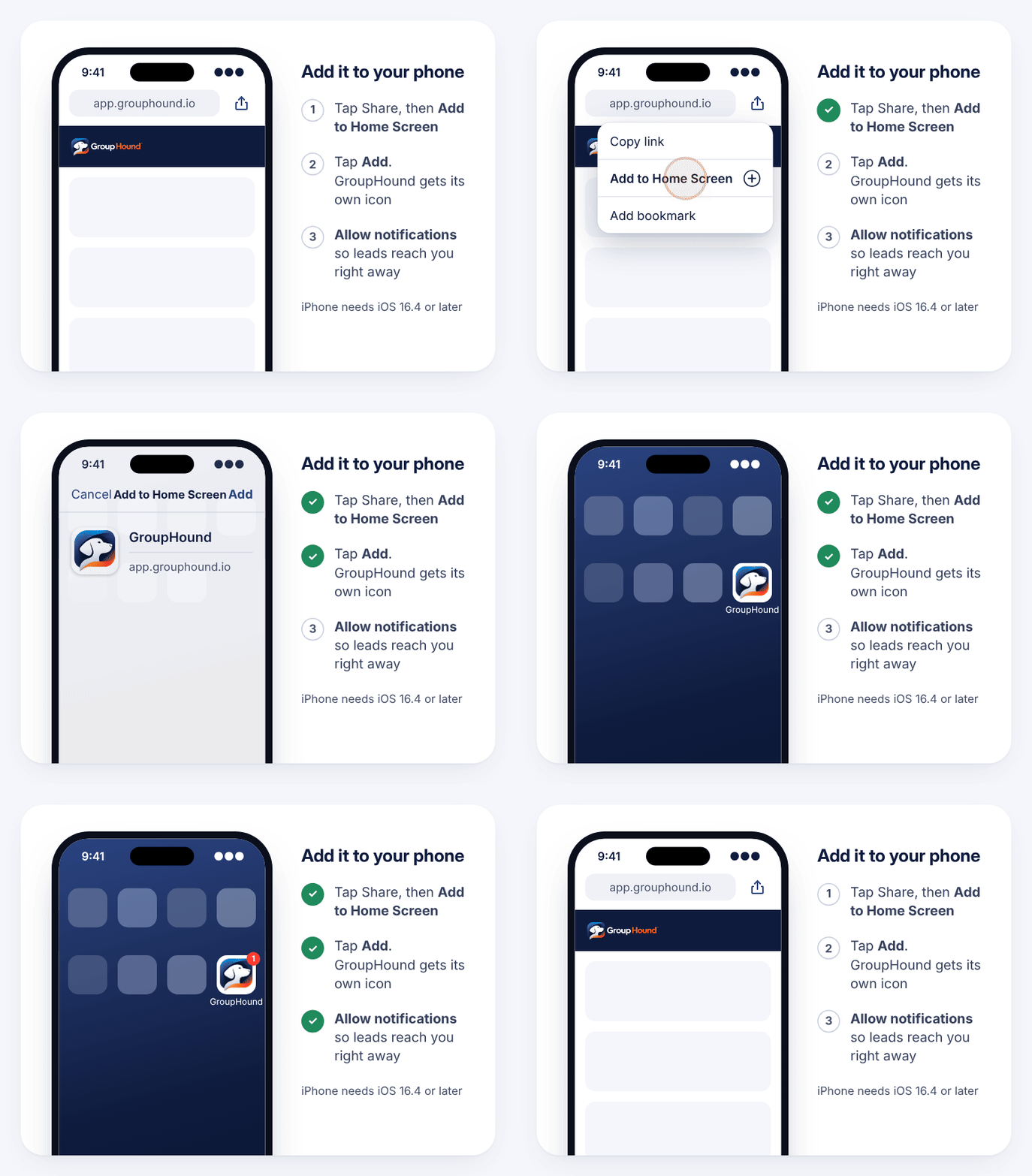
Put GroupHound on your phone
Open GroupHound on your phone and add it to your home screen. Turn on alerts, and new leads arrive like texts, with a badge count on the icon.
Works like an app, no app store needed
iPhone needs iOS 16.4 or newer
5Step 5
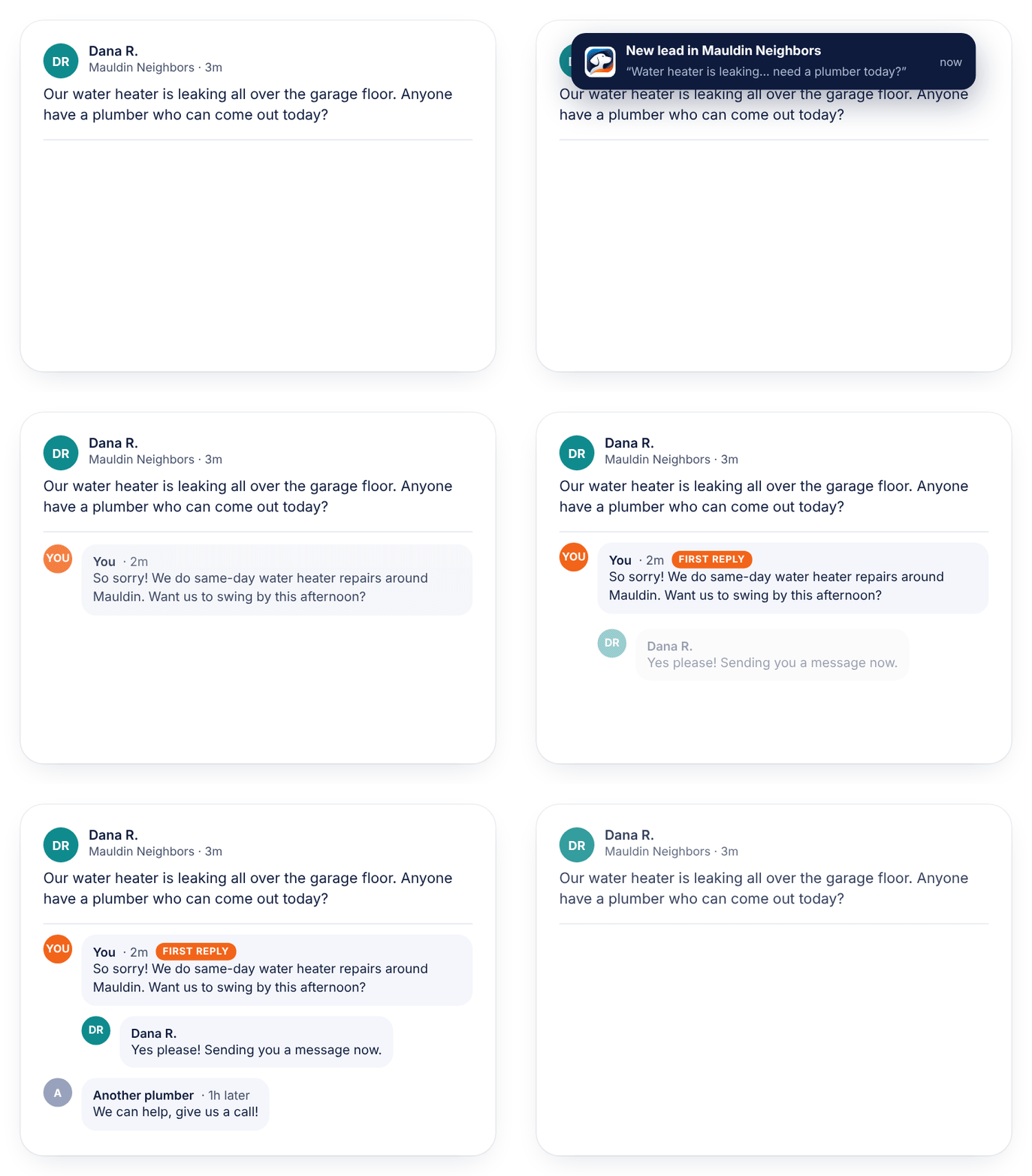
Get the alert, reply first
When someone asks for what you do, your phone buzzes with the post and a drafted reply. Tweak it if you like, tap through to the exact post, and be the first helpful answer.
A reply written for that post
One tap to the exact post
6Step 6
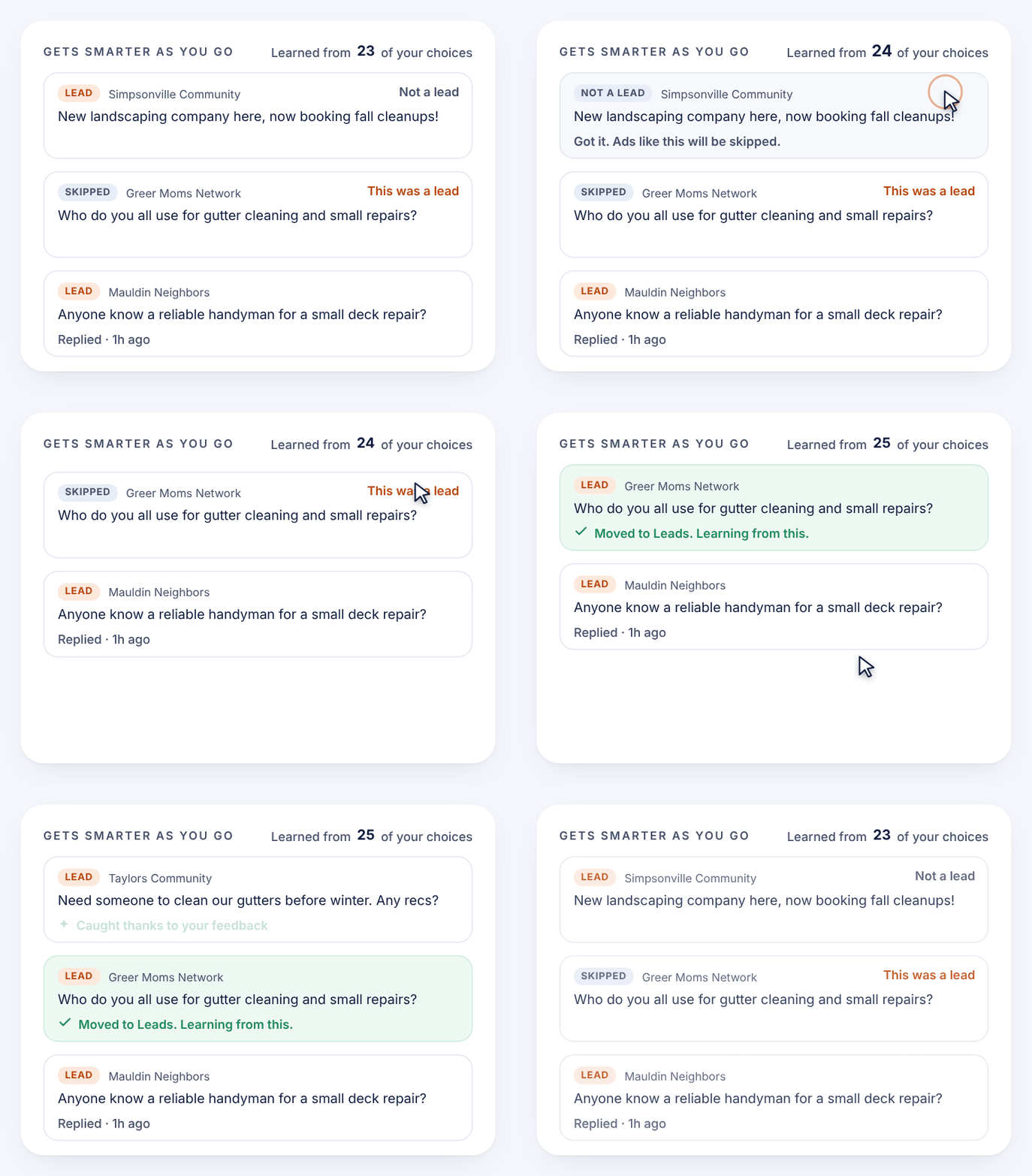
It gets smarter as you go
Tap “Not a lead” on anything that isn’t a fit, or “This was a lead” on something it skipped. The Skipped tab shows what was screened out and why.
Learns what a lead looks like for you
Optional Slack alerts and daily or weekly email reports
Two pieces, one system
What runs where
On your computer
The GroupHound Collector runs in Chrome
Watches the local groups you’re already in
Needs the computer awake and Chrome open
Full GroupHound dashboard for setup and settings
On your phone
Push alerts with a badge count
Every lead with its drafted reply
One tap to the exact post
“Not a lead” and “This was a lead” to teach it
Ready to let the hound hunt?
GroupHound is invite-only while in beta. Request a spot and we’ll get you set up.